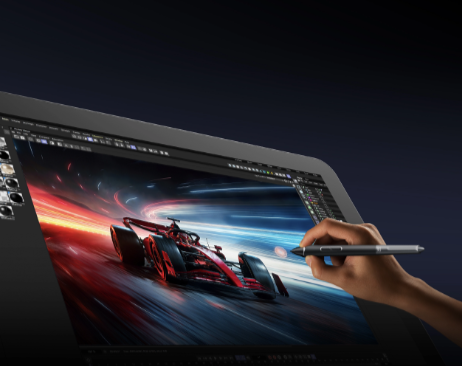
Digital creation has become an important part of modern design, illustration, animation, and visual production. A suitable professional drawing tablet can not only significantly boost workflow efficiency and drawing precision but also give you a greater sense of control over your creative process. Unlike traditional input devices, professional graphics tablets leverage advanced pressure-sensitivity technology, accurate color reproduction, and responsive pen feedback to deliver a natural creative experience comparable to using a real pen and paper. This guide explains the key factors artists should consider when selecting a drawing device for professional creative work.
What Is a Professional Graphics Tablet?
A professional drawing tablet is a digital input device designed for creators who require precise control during artistic production. It allows users to draw, edit, and design directly through a stylus instead of relying only on a mouse or touchpad.
Modern professional tablets are commonly used in:
· Digital illustration
· Character design
· Animation production
· Graphic design
· Photo editing
· 3D modeling
· Concept art creation
Compared with entry-level devices, professional solutions usually provide higher accuracy, better pen response, larger working areas, and improved display quality. These technological advantages help artists enhance drawing precision and render details with greater richness.
How to Choose a Professional Graphics Tablet?
Choosing the right professional drawing tablet requires evaluating several technical specifications and considering your creative workflow.
Consider Display Quality and Color Accuracy
For artists who work with visual details, display performance is one of the most important factors. A high-quality drawing screen should provide:
· High resolution for sharper details
· Wide color coverage for accurate artwork reproduction
· Good brightness and contrast
· Reduced visual distortion
Color accuracy is particularly critical for professional illustrators, designers, and photographers, as it directly determines whether the final output precisely aligns with the original creative intent. A display-based drawing tablet allows creators to see their strokes directly on the screen, making the process more intuitive compared with traditional non-display tablets.
Check Pen Technology and Pressure Sensitivity
The stylus is one of the core components of any professional drawing tablet. A responsive pen can directly influence drawing quality and comfort.
Important pen features include:
· High pressure sensitivity levels
· Low latency response
· Tilt recognition
· Battery-free operation
· Natural writing feel
Pressure sensitivity allows artists to control line thickness and opacity naturally. Tilt recognition is useful for brush effects, shading, and digital painting techniques. For professional workflows, a smooth and accurate stylus experience can reduce adjustment time and improve productivity.
Why Do Artists Need a Professional Graphics Tablet?
Professional creators often work on complex projects that require precision and efficiency. A professional drawing tablet provides advantages that traditional input methods cannot easily achieve.
Improve Creative Efficiency
Using a digital pen offers a more direct and nuanced control experience for digital creation. Artists can create smoother lines, adjust brush effects quickly, and complete detailed editing tasks more efficiently. For animation and illustration projects, precise input can help maintain consistency across multiple layers and complex compositions.
Support Different Creative Applications
This flexibility makes professional tablets suitable for creators working across different industries. A professional graphics tablet can support various creative software environments, including:
· Illustration programs
· Animation software
· Image editing applications
· Design platforms
· 3D creative tools
What Features Should a Professional Drawing Tablet Have?
When comparing different models, users should focus on practical features rather than only specifications.
Large Working Area
A larger active drawing area allows for freer, more natural hand movements. A comfortable workspace can reduce hand fatigue during long creative sessions.
This is especially beneficial for:
· Detailed illustrations
· Large-scale designs
· Digital painting
· Professional editing tasks
High-Resolution Display
A high-resolution screen helps creators view small details more clearly. Combined with accurate color performance, it allows artists to make better decisions during the design process.
Ergonomic Design
Professional creators may spend many hours working on digital projects. A comfortable viewing angle, suitable screen size, and stable design can improve long-term usability.
How Is a Professional Graphics Tablet Changing Digital Creation?
The development of digital art technology continues to influence how creators work. Modern professional drawing tablets are becoming more advanced with improvements in display technology, pen performance, and creative software integration.
Current trends include:
· Larger high-resolution displays
· Better color management
· More natural handwriting experiences
· Improved compatibility with creative software
· Support for flexible studio setups
With the growth of digital content creation, professional-grade drawing tools are becoming an essential part of many creative workflows.
Choosing the Right Professional Drawing Tablet for Your Workflow
Different creators have different requirements. Before purchasing, consider:
For Illustrators
Focus on:
· Pen accuracy
· Color performance
· Screen quality
· Brush control
For Designers
Focus on:
· Resolution
· Workspace size
· Software compatibility
· Productivity features
For Animation and 3D Artists
Focus on:
· Smooth response
· Comfortable long-term use
· Precision control
· Workflow efficiency
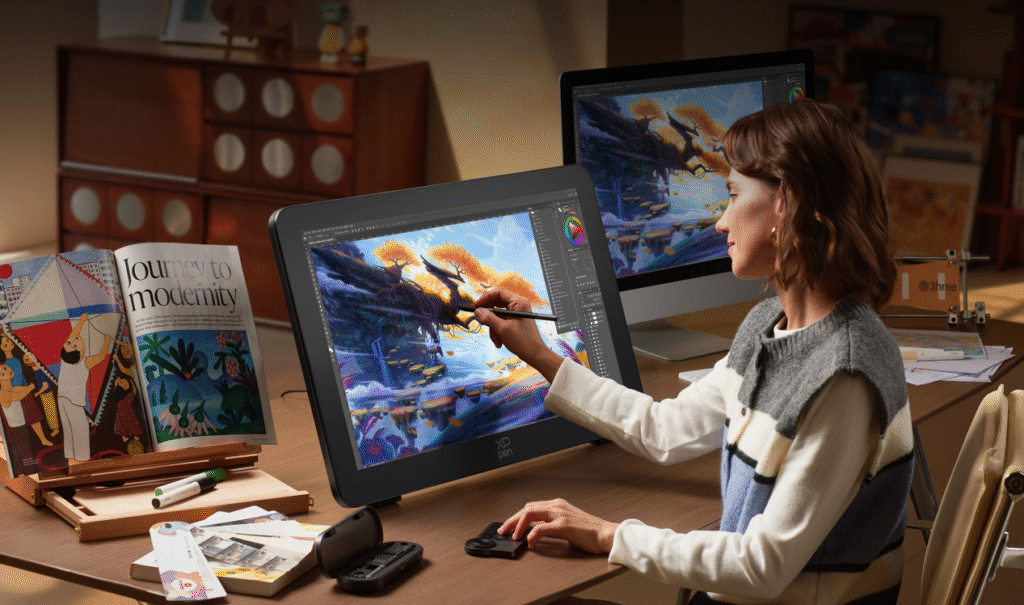
For creators seeking a display-based professional solution, the XPPen Artist Pro 27 (Gen 2) provides features designed around detailed digital creation workflows, including a large display area and professional-level drawing performance.
Final Thoughts
Selecting the right professional graphics tablet depends on your creative goals, working habits, and technical requirements. Important factors such as display quality, pen performance, color accuracy, and ergonomic design all influence the overall drawing experience.
As digital art continues to expand, professional creators need reliable tools that can support higher levels of precision and creativity. Exploring suitable options such as the professional drawing tablet category can help artists find a device that matches their workflow and creative ambitions.