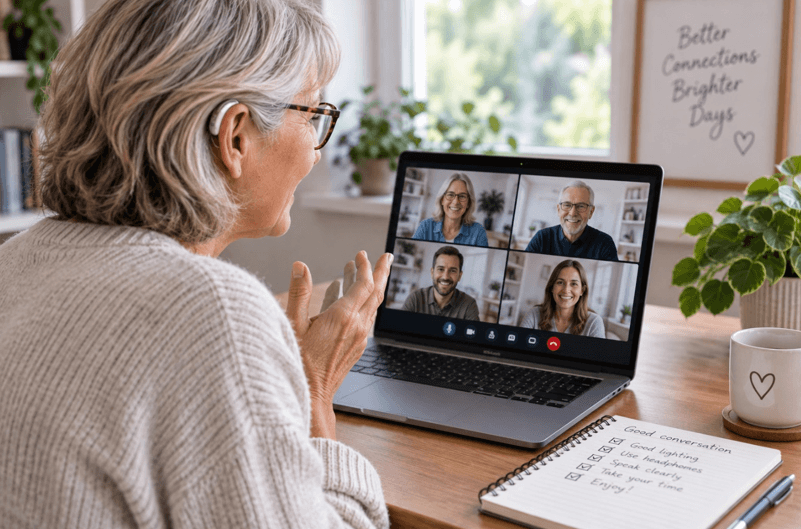
Video calls have become the default way many of us connect, whether it’s a family catch-up or a work meeting. But if you’re dealing with hearing loss, Zoom calls can turn into a stressful guessing game. Background noise, overlapping voices, and choppy audio all make it harder to follow along, and constantly asking people to repeat themselves gets exhausting fast. The good news is that a few adjustments, plus the right hardware, can make a real difference. If you’ve been putting off finding the best cheapest hearing aids because you assumed they’d cost a fortune, it might be time to look again.
Technology has also caught up in other ways. Many people don’t realize how far OTC hearing aids have come in the last few years. They’re smaller, smarter, and a lot easier to get started with than the clunky devices you might remember from a decade ago. Combined with a few tweaks to how you use Zoom, they can genuinely change how much of a conversation you actually catch.
Start With Your Audio Settings
Zoom has some built-in options that get overlooked way too often. Head into your audio settings and turn on “Original Sound” if you’re using external speakers or headphones, since Zoom’s default noise suppression can sometimes strip out helpful cues along with the background noise. On the flip side, if you’re in a noisy room, leaving noise suppression on high can actually help you focus on the speaker’s voice instead of a barking dog or a humming fridge.
It’s also worth testing your speaker setup before an important call. Built-in laptop speakers are usually pretty weak and tinny, and they’re not doing you any favors if you’re already straining to hear. A decent pair of headphones, or better yet, hearing aids that pair directly with Bluetooth, can be a night and day difference.
Ask for Captions, Don’t Just Rely on Them
Zoom’s live transcription feature is genuinely useful, but people treat it like a magic fix when it’s really more of a backup. Turn it on, sure, but don’t feel like you need to stare at the text the whole meeting. That defeats the purpose of actually engaging with the person talking. Use captions as a safety net for words you miss rather than your main way of following the conversation.
One thing that helps a lot: ask the meeting host to enable captions before the call even starts. Fumbling with settings mid-meeting while everyone waits is awkward, and it’s an easy thing to sort out in advance.
Set Expectations With the People You’re Talking To
This one feels obvious, but so many people skip it. Telling coworkers or family members up front that you have hearing loss and might ask them to slow down or repeat things saves everyone frustration later. Most people are more than happy to accommodate once they know, and honestly, a lot of folks appreciate the heads up because they weren’t sure why you kept asking “sorry, what?”
You can also ask people to keep their video on. Reading lips and facial expressions fills in gaps that audio alone can’t, even if you’re not consciously aware you’re doing it. A black screen with just a name on it makes everything harder.
Consider Your Physical Setup Too
Where you sit for a call actually matters more than people think. A room with hard floors and bare walls creates echo that muddies speech, while a softer space with carpet, curtains, or even just a few pillows around absorbs sound and cleans up the audio you’re hearing. Sitting close to your router or using a wired connection instead of Wi-Fi also cuts down on the choppy audio glitches that make lip reading and captions fall out of sync.
Lighting matters too, weirdly enough. If you’re leaning on visual cues like lip reading, make sure your face is well lit and you’re not backlit by a window. It sounds minor, but it adds up over a long meeting.
Don’t Wait to Get Fitted Devices
If you’ve been managing without any hearing support, Zoom calls are often where the struggle becomes obvious first. Video calls strip out a lot of the natural cues you’d pick up in person, like body language and room acoustics, so any hearing gap gets amplified. Getting properly fitted hearing aids, even affordable over the counter ones, can make meetings feel far less draining.
A lot of people assume they need to see an audiologist and pay hundreds or thousands of dollars before they can get help. That’s simply not true anymore. Modern OTC options are built for exactly this kind of everyday use, and setup is usually quick enough to do on your own.
See also: Buying Guide For Pink Tablet: How To Get The Most Suitable One?
Conclusion
Zoom calls don’t have to be a source of stress. Between adjusting your settings, communicating with the people you’re talking to, and investing in the right hearing support, you can turn a frustrating experience into a genuinely manageable one. Small changes add up, and you don’t need a huge budget to start hearing your meetings clearly again.